How to Set Up Your Campus Hotspot for Internet Access
Stay connected for your classes and assignments with your Campus-provided hotspot.
Campus students without dependable internet access are eligible to receive an internet hotspot to help them attend classes and complete assignments. You’ll receive a high-speed internet hotspot, which could be one of many models, depending on availability.
This device is provided to support your ability to attend classes, submit assignments, access email, and use your online resources to complete your coursework. It has limited data every month, so do not use it for non-academic activities such as video streaming or online gaming, which may use excessive data and prevent you from using the hotspot to attend class and complete assignments.
How to Get Connected: Standalone Hotspots (Jexstream, T10)
Follow instructions below if your hotspot looks like one of these models:
1. Open the box and take out all the contents. In your box, you will find:
- A broadband hotspot device
- Charger or power cord
- SIM Card (pre-installed in hotspot)
2. The hotspot should arrive charged and ready to connect!
• Campus has preconfigured all Campus-provided Chromebooks to connect to the hotspot automatically. Once you select “My Campus Hotspot” from the list of available networks, your device should connect immediately.
• If you are connecting to a Windows laptop or non-Campus-provided device, you will need to manually set up the connection. Go to your device’s network settings, select “My Campus Hotspot” from the list of available networks, and enter the password Campus123!
• If your Campus-provided laptop does not automatically connect, follow the same steps as outlined above: go to your device’s network settings, select “My Campus Hotspot” and enter the password Campus123!
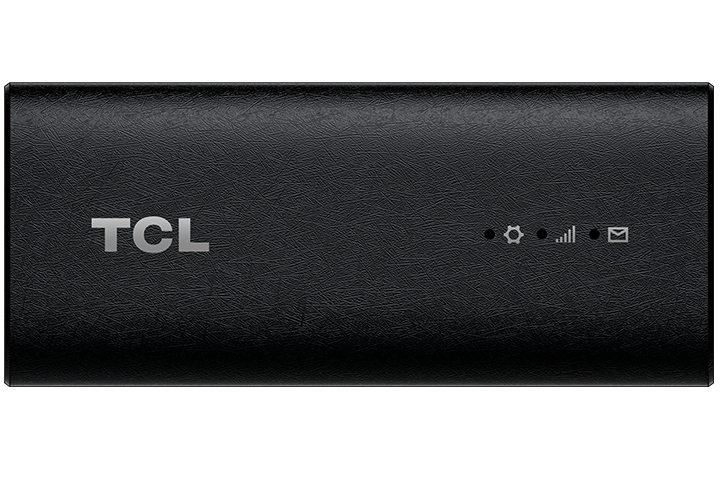
If your hotspot looks like this, the follow these instructions instead:
TCL Linkport Hotspot Usage Guide
Hotspot FAQs
What is the maximum amount of data per month and what happens when I reach that limit?
The amount of data available each month is 30 GB, which automatically renews every month.
If you reach your 30 GB limit, your hotspot will be throttled (slowed down), but you’ll still have unlimited data until the next monthly cycle begins. Some websites may also be blocked to help conserve data.
If you have trouble connecting after hitting the limit, it’s your responsibility to find another internet connection to attend class and complete coursework.
What should I use my hotspot for?
The hotspot should only be used to connect your device for attending classes and completing assignments.
What types of activity should I not use my hotspot for?
Do not use the hotspot for video streaming, gaming, connecting other devices, or anything unrelated to your coursework. The data plan is meant only for classwork and Campus activities.
Reminder: Keep your hotspot charged and use it only for schoolwork. Running multiple devices or streaming can quickly use your data and slow your connection.
Need Help?
If you run into any problems, our technology support team is here for you:
- Email: it@campus.edu
- Phone: (877) 257-2834
- Live Chat: campuswire.com > Tech Help
Our support team currently works from 9am to 12am Eastern Time, Monday through Friday. If you need assistance outside of those hours, please leave our team a message and we'll get back to you as quickly as we can.