Watch this video to learn how to edit the permission for who can open, edit, or comment on your Google Doc:
Remember, when submitting Google Documents in your classes, you must set your permissions so that your instructors and TAs can open your work. To share to anyone with a link, set the permission from "Restricted" to "Anyone with the link".
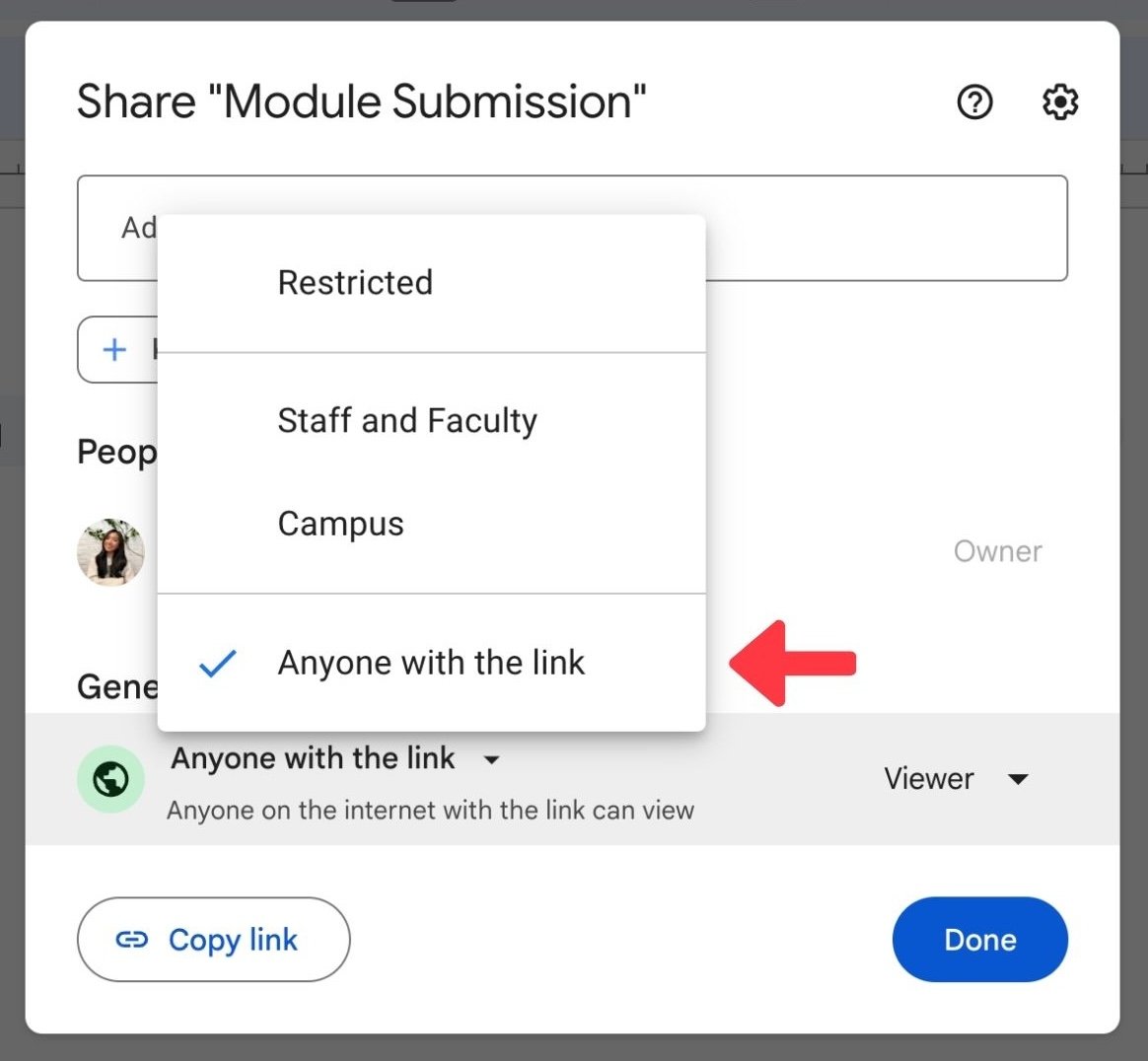
Next select whether or not you want this person to be able to edit the document or just view it. Your instructors and TAs should always have edit access to your documents so that they can give you feedback when grading your assignments.
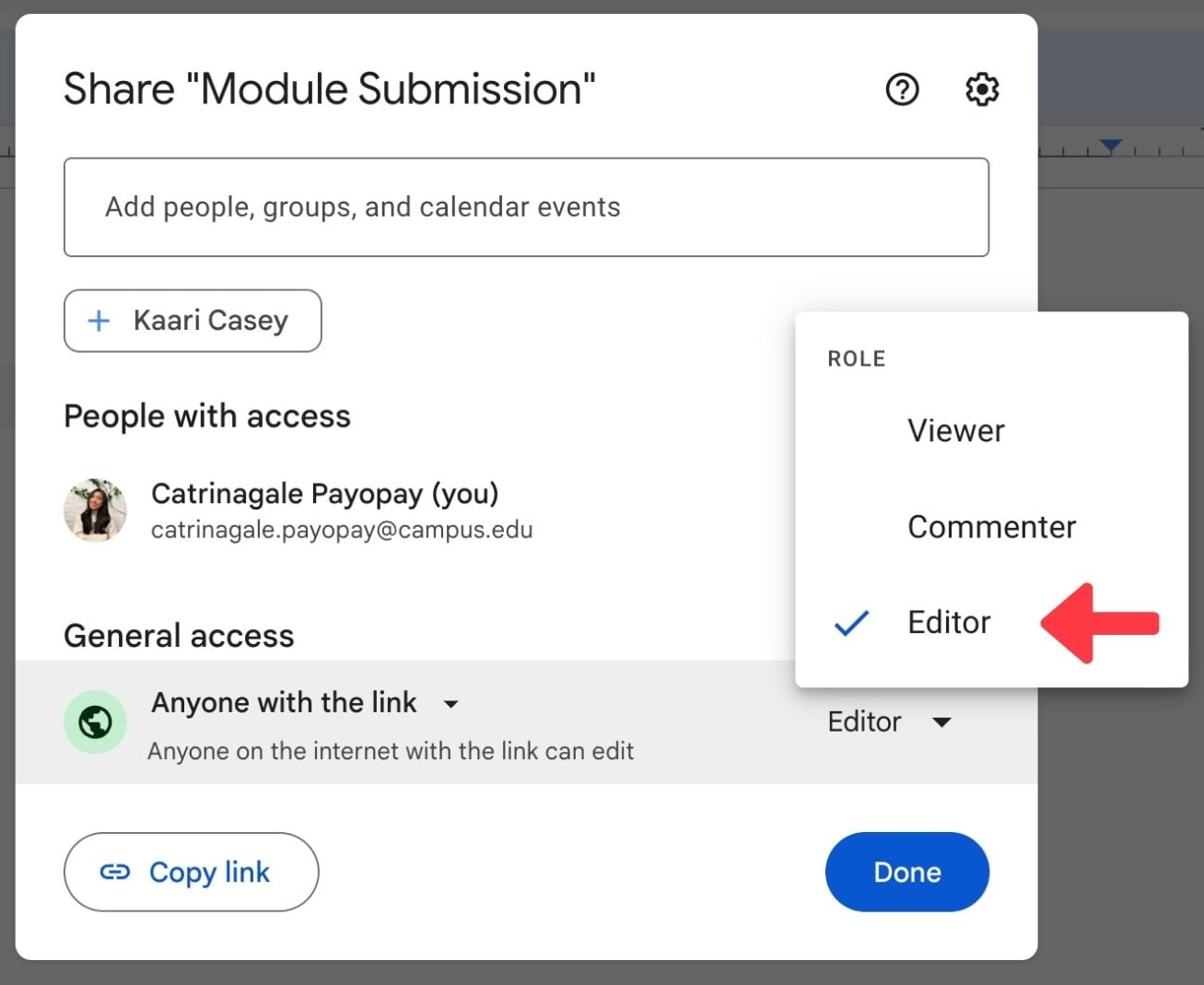
Click "Done" to save your settings!